
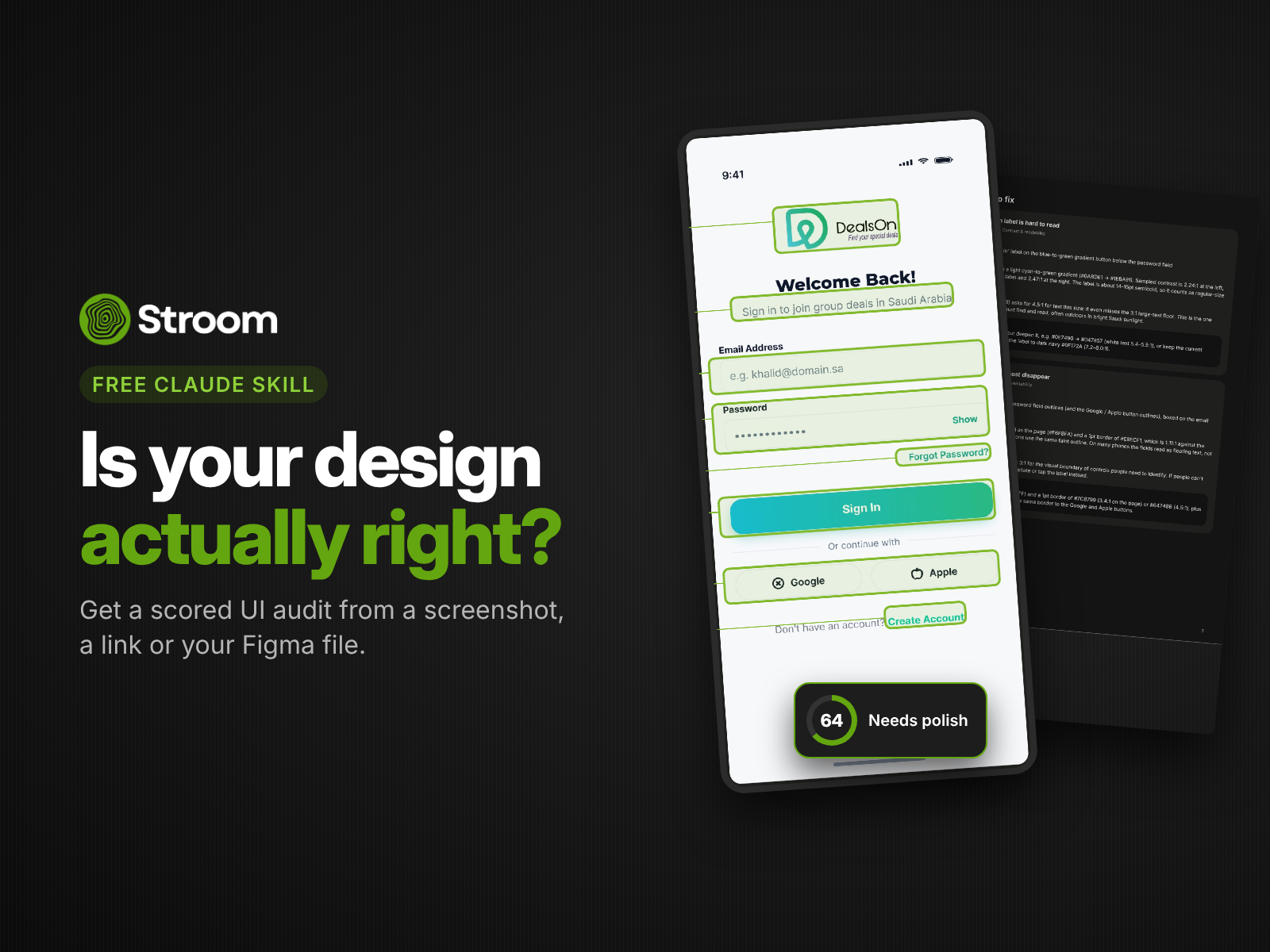
Free Claude skill
Is your design actually right?
Drop in a screenshot, a website link or your Figma file. Get a scored UI audit with what's wrong and how to fix it.
Download the skill (free)
Works with Claude Free, Pro, Max, Team and Enterprise.
What it checks
Contrast & readability
Text and buttons meet WCAG contrast.
Visual hierarchy
The most important thing is seen first.
Spacing & alignment
Consistent rhythm, nothing off-grid.
Typography
Sizes, weights and line lengths that read well.
Touch targets
Buttons big enough to tap on a phone.
Consistency & clarity
Patterns and labels behave the same everywhere.
What you get
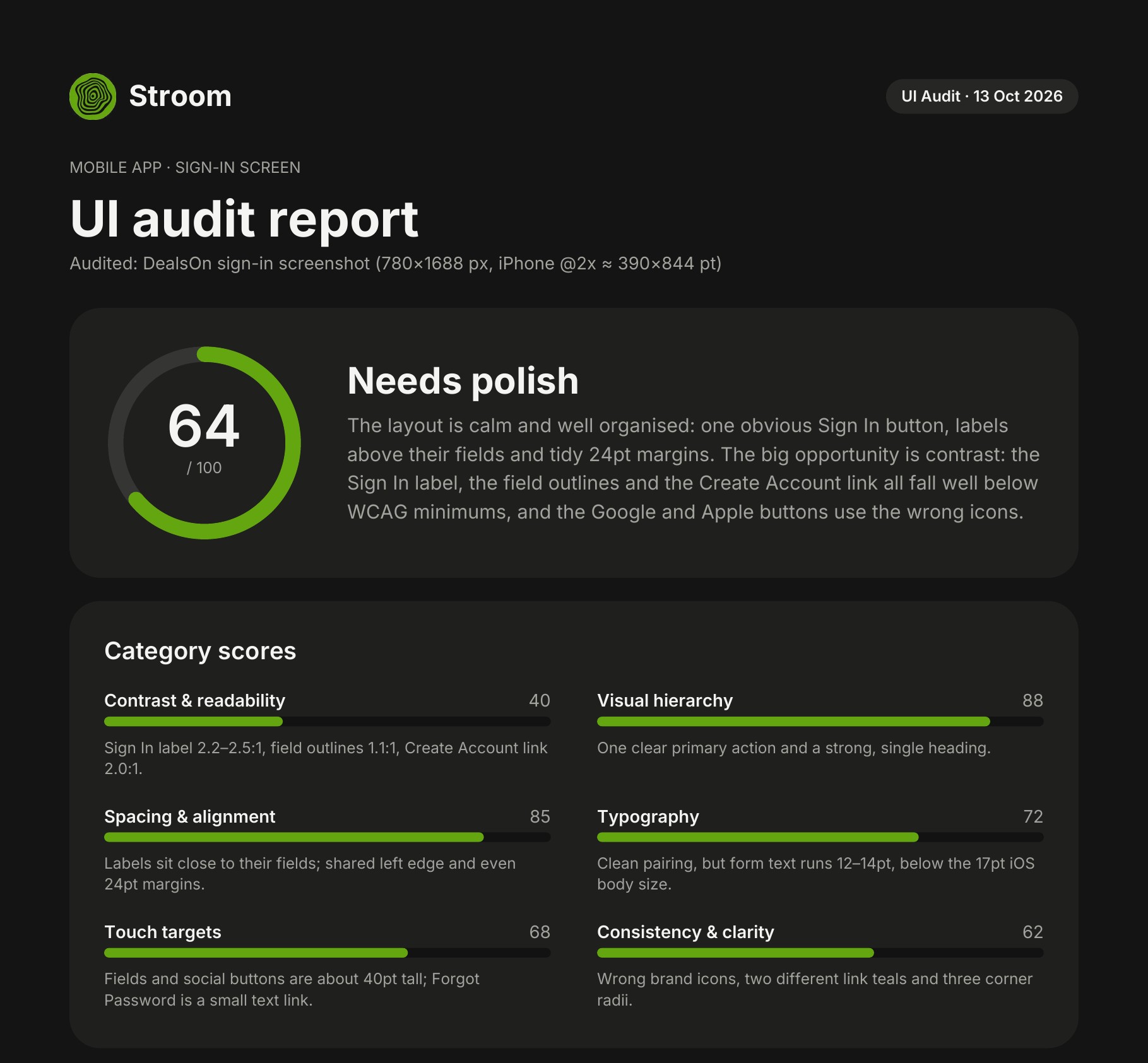
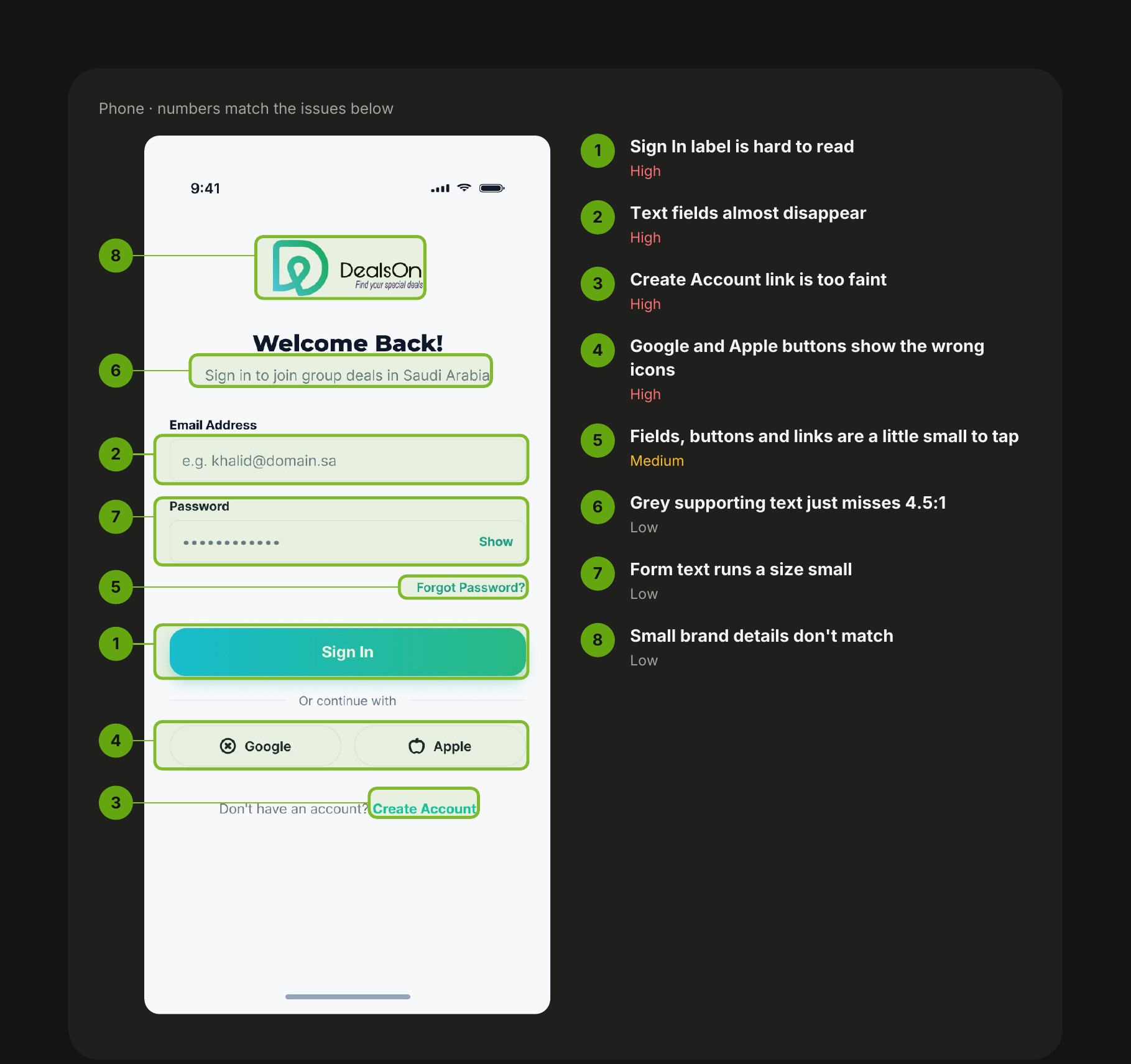
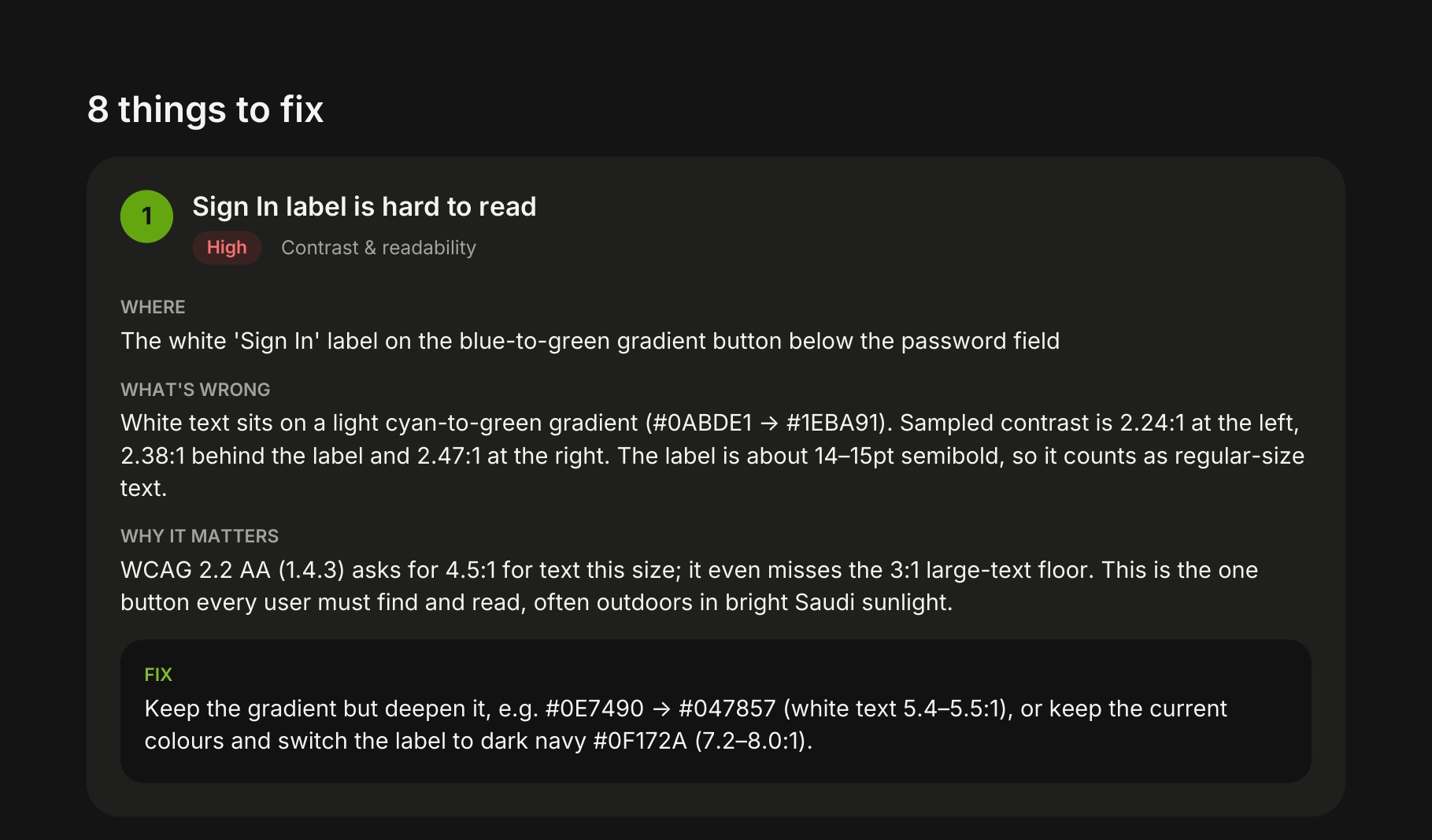
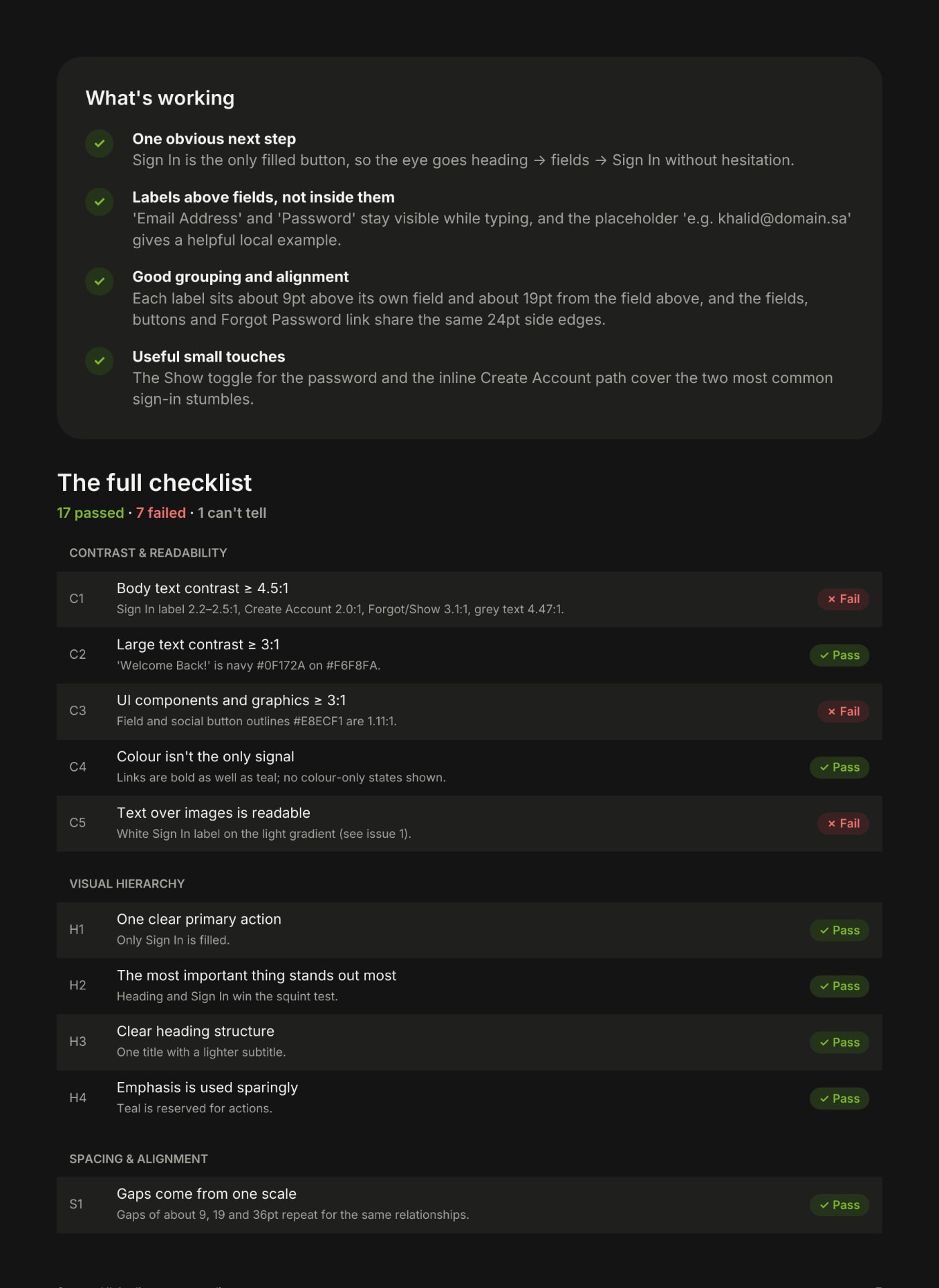
- A score out of 100
- Numbered issues on your screen
- A concrete fix for each issue
- A full checklist
Install in 3 steps
- 1In Claude, go to Settings → Capabilities and turn on 'Code execution and file creation'.
- 2Go to Customize → Skills, click +, choose 'Create skill' → 'Upload a skill' and upload the ZIP. Don't unzip it.
- 3Open a new chat, attach a screenshot (or paste a link or Figma URL) and ask: 'Audit this UI.'
On Team or Enterprise plans, your admin may need to allow skills first.
Want a human to look at it?
Our designers review whole flows, test with real users and hand you a prioritised plan.
Book a full auditFAQ
Frequently asked questions
Yes.
No.
Yes, any screen.
No. It runs in your own Claude account.