Amrak

One ordering app between food suppliers and the stores they serve.
Food suppliers take orders by email, WhatsApp, photos and fax, then re-key them. Prices differ by client and by unit.
Two products: a supplier portal that owns prices, promotions and clients, and a client app for structured reorders.
Supplier web portal (orders, customers, items, price lists, promotions, analytics, roles) and a client app (browse, cart, orders, reorder).
- What we did
- UX research
- UX/UI design
- Web portal + app
- Sector
- B2B food ordering
- Market
- B2B
- Platform
- Portal + app
The insight
Orders arrive in every format

Email, WhatsApp, photos, fax. Rarely anything structured.
- 7–8 minto key in one 40-line order by handChoco blog, Nov 2025
- 61%of B2B buyers prefer a rep-free experienceGartner, Jun 2025
- 1/3+of revenue from e-commerce, for B2B firms that offer itMcKinsey B2B Pulse 2024
Who it’s for
Three people, one order

Primary persona
Sales & ops manager
Every order, every price, every client, all day.
Food supplier serving hypermarkets and retailers · negotiated prices per client
A wrong price costs more than a slow order.
Synthesised from research, not a quote
Goals
- Receive complete orders without re-keying
- Apply the right client price and promotion
- Catch reorders before the client calls
Frustrations
- Orders by email, WhatsApp, photos and fax
- Re-keying errors and disputes
- Missed restock dates
Behaviours
- Keeps price lists in spreadsheets
- Calls clients to remind them to reorder
- Reports sales from exports
What it means for the design
- Price lists by client and unit
- A restock check per client
- Analytics with a Sheets export
Job to be done
When a client needs restocking, I want their order to arrive complete, at their agreed price and promotion, so I can deliver without calls, re-keying or disputes.
Admin & finance
Controls who changes prices; needs reporting.
Roles and permissions, exports
Store buyer
Reorders across suppliers; fears stock-outs and surprise prices.
Browse by supplier, promotions, history
Proto-personas · built from desk research and Stroom’s flow board · assumptions to validate with supplier interviews
Customer journey
One order, start to finish

The supplier’s ops manager, from restock to report.
| Stage | 01Restock due | 02Order in | 03Price & check | 04Deliver | 05Review |
|---|---|---|---|---|---|
| Doing | A client is due to restock | The order arrives | Applies price and promotion | Ships, updates status | Reports sales |
| Touchpoints | Calendar, phone | WhatsApp, email, fax | ERP, spreadsheets | Delivery, phone | Spreadsheets |
| On their mind | Who is due to reorder? | Is this order complete? | Which price applies? | Where is the order? | What sold this month? |
| Feeling | |||||
| Pain points | Reminder calls | WhatsApp, photos, fax | Re-keying, wrong prices | “Where is my order?” | Data stuck in spreadsheets |
| Opportunity → design | Restock check sent per client | Structured orders from the app | Price lists per client and unit | Status in portal and app | Analytics, export to Sheets |
Current-state journey · Proto-journey from desk research and the flow board · to validate with supplier interviews
User flow
The restock loop

The supplier asks; the client reorders in a few taps.
- Supplier sets a restock cycle
- Client needs items?No → next date is set
- 01Client browses
- 02Cart by supplier
- 03Supplier sees the order
- 04Client tracks, reorders
Supplier portal
The day, on one screen

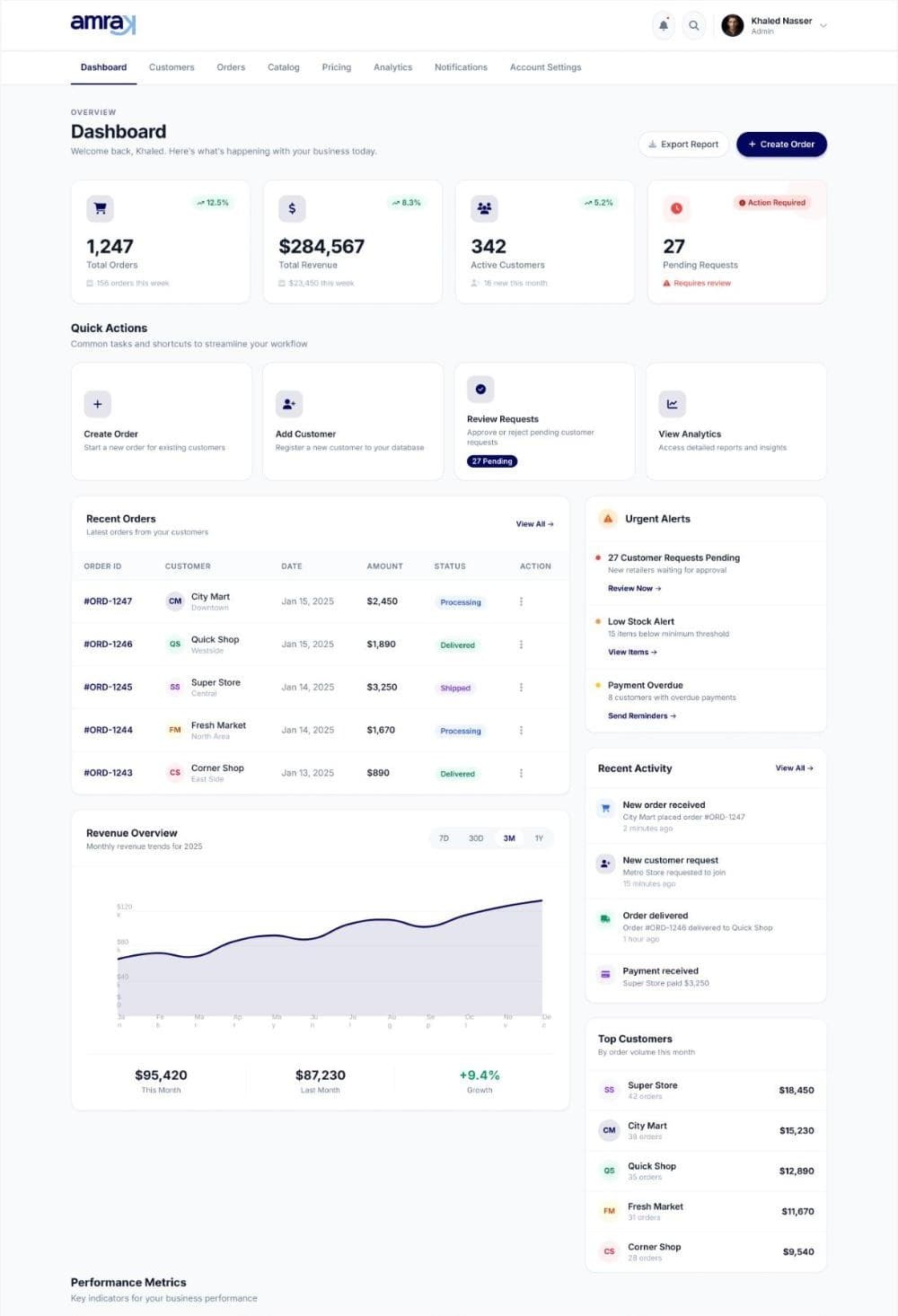
Orders, requests, alerts and revenue for the supplier.
Supplier dashboard · Client app home
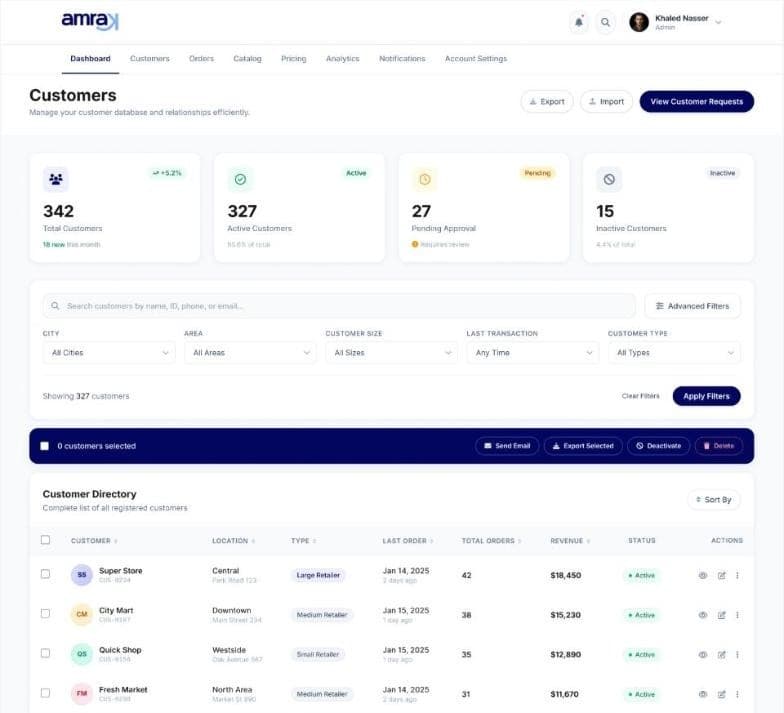
Orders and clients
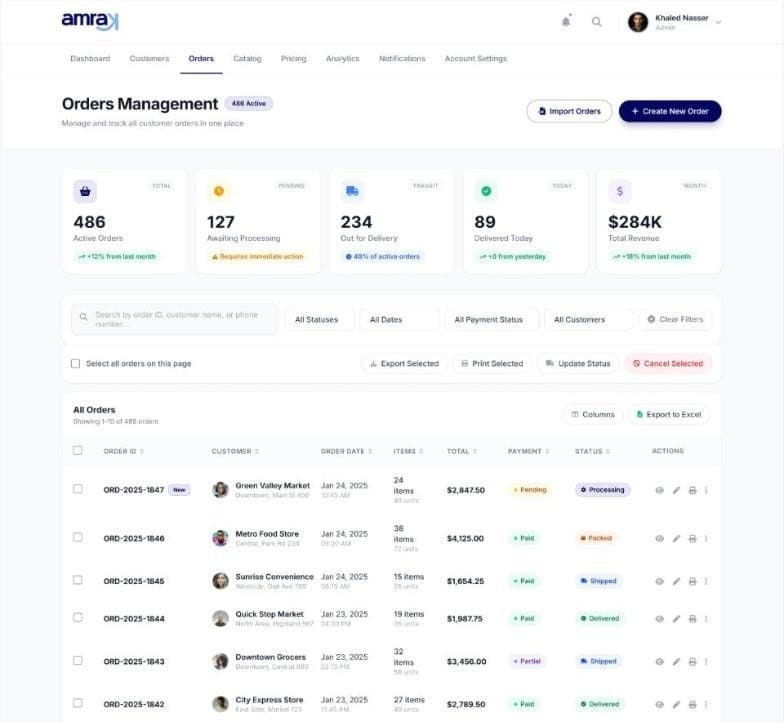
Every order, structured

New client requests matched to ERP data, then accepted.
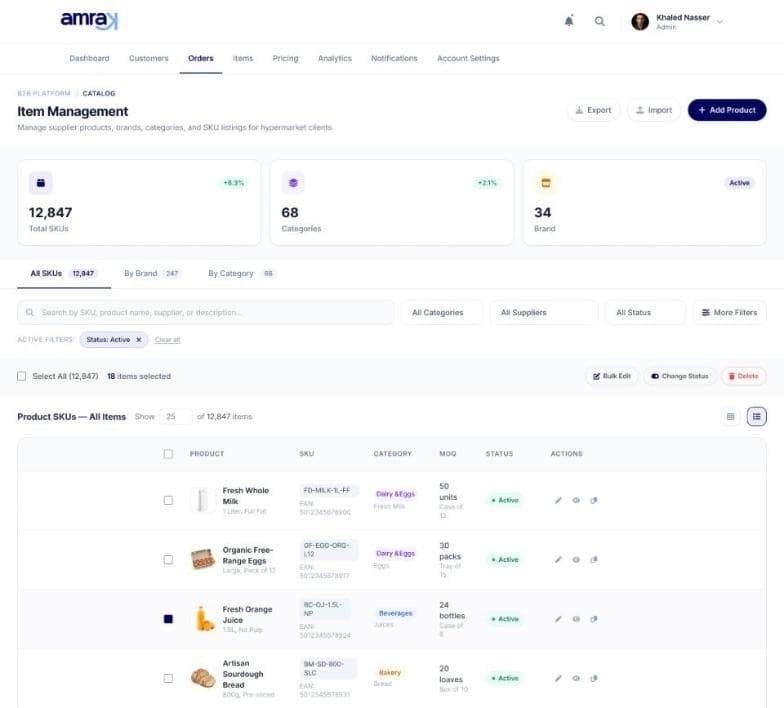
Catalogue
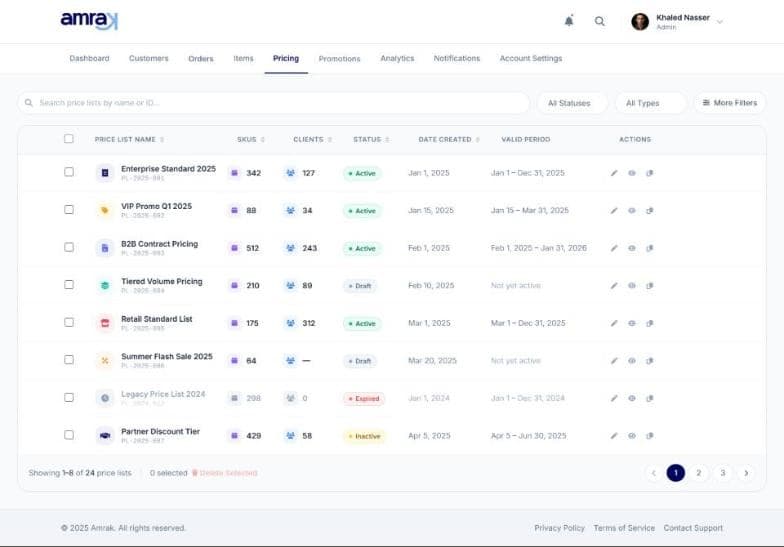
Price lists that fit the deal

SKUs with barcodes and units, prices per customer.
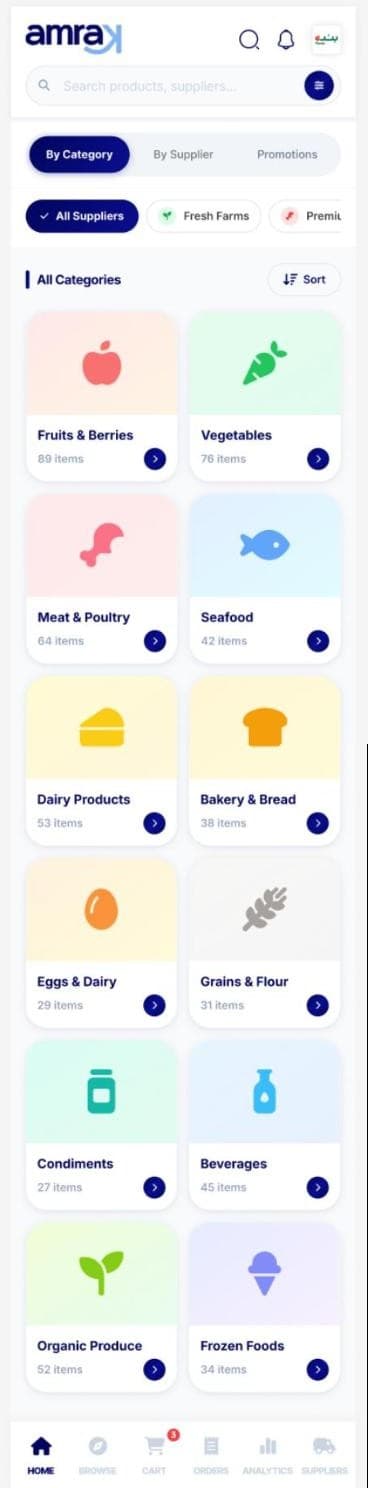
Client app
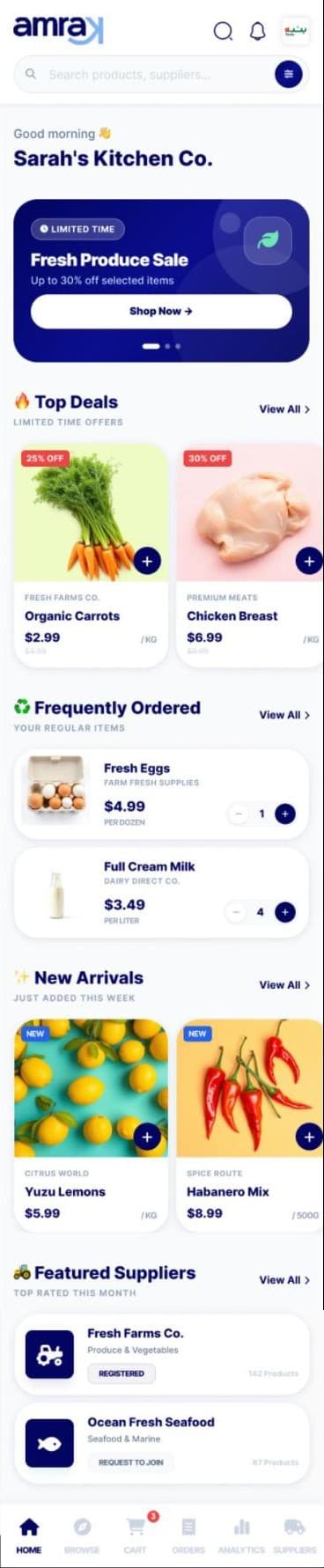
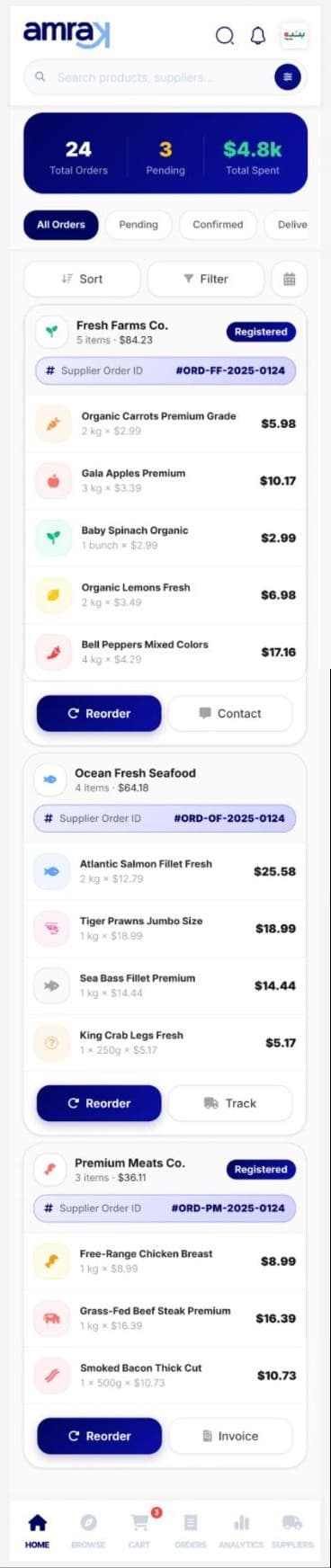
Reorder in a few taps

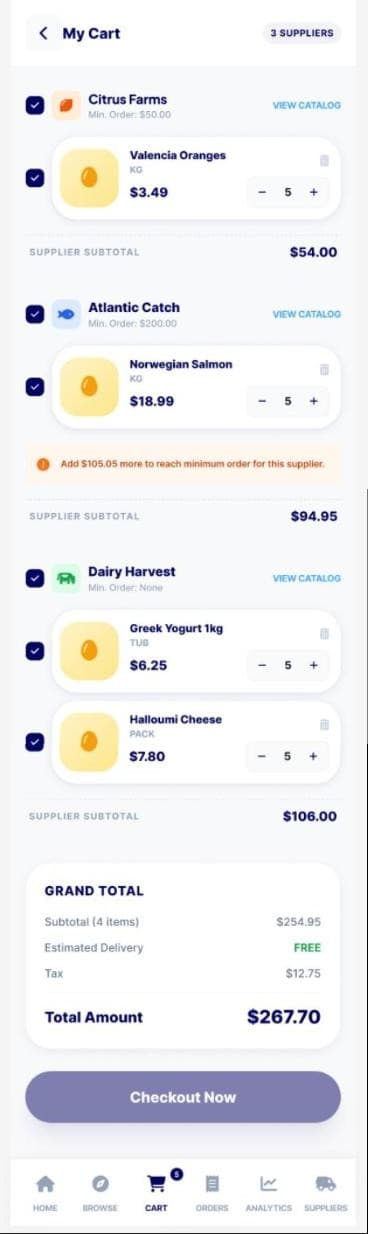
Browse by category or supplier. One cart, split by supplier.
Design decisions
Every choice has a reason

What we chose, and the evidence behind it.
- 01
Price lists by client and unit
B2B runs on negotiated terms: piece, shrink of 6, carton of 24, with dates and one price per unit.
Stroom flow board
- 02
Customer requests matched to ERP
New clients are checked against ERP data before acceptance. No duplicate accounts.
Stroom flow board
- 03
A proactive restock check
Replaces the reminder call; the reply sets the next date. A pattern from Ordermentum-style reordering.
Business News Australia
- 04
Browse by supplier or category
Buyers order from many suppliers. The multi-supplier pattern of Choco and Ordermentum.
choco.com; Business News Australia